Readers in Space
Overview
A reader is an electronic device often mounted on a wall beside a door or other type of access point like a car park barrier that is frequently connected directly to a controller. Readers, also known as 'wall readers', are used to control access to an installation's access points. Users present their keys to the reader to gain access in the same way as they would do with a physical electronic lock. Some readers also have keypads.
Although readers are often connected to a controller, they are not the same thing. A reader is a peripheral device that users interact with to gain access, while a controller is the central unit that manages access permissions and controls the locking mechanisms of the doors. In some cases, a reader may be integrated into a door lock, but in other cases, it may be a separate device mounted on the wall.
In general, you do not need to add readers to Space, but in some cases you will need to take additional steps in Space. For example, when using the Panel XS Reader - OSDP, you will need to add it as an offline door in Space and associate it with the relevant access point. For third-party solutions, you will need to configure the relevant Wiegand codes and controller settings.
See Space network components for more details on readers in the Space system and their relationship with other components.
For more information on the different types of Salto readers available, see the installation guides for readers.
Panel XS Reader - OSDP
The Panel XS Reader - OSDP is a Salto wall reader designed for discrete installation behind elevator panels, door intercoms, electric switches, turnstiles, and gates. It provides access control in locations where a visible reader is not practical or permitted, and can work in conjunction with Salto controllers or be integrated into a third-party solution.
It can be installed behind metal plates, though an opening must be made in the plate for the reader antenna to operate correctly.
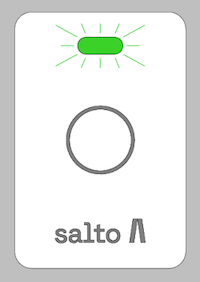 Panel XS Reader - OSDP
Third-party solution integration
The Panel XS Reader - OSDP has been integrated in a third-party solution and implements the OSDP protocol to work as a peripheral device on a channel managed by a third-party controller (OSDP master). The reader is connected to this controller using an RS485/CAN BUS and it is the controller which supplies the needed power to operate the device.
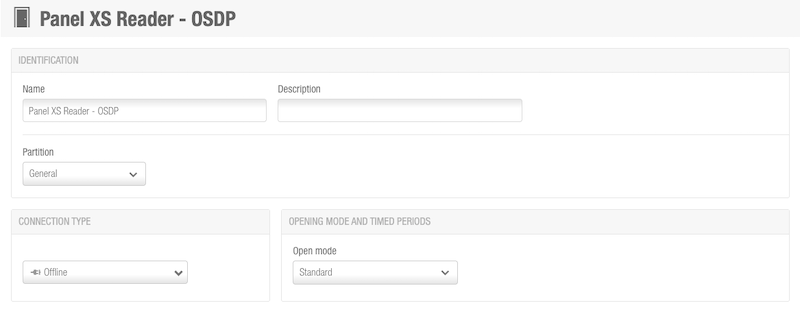 You add the Panel XS Reader - OSDP as an offline door in Space
The Panel XS reader - OSDP must be added to Space as an offline door in Standard mode and Bluetooth Low Energy must be active in SAM & issuing options.
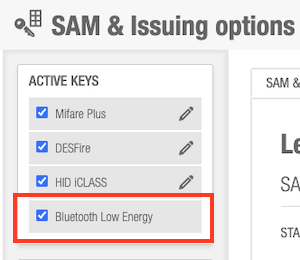 Ensure the 'Bluetooth Low Energy' option is active in SAM & issuing options
See adding doors in Space for more information on how to create, configure and associate doors in Space.
The Panel XS Reader - OSDP can be integrated into a kiosk which reads users' identification from a smartphone, specifically using JustIN Mobile keys with Wiegand data, and send it to the third-party controller.
See Assigning a JustIN Mobile key for more information on how to assign JustIN Mobile keys.
To ensure the mobile phone detects the nearest reader, make sure the SHOW_DOOR_FAR_OPENING advanced parameter is disabled.
See the Panel XS Reader - OSDP installation guide for detailed information about the hardware installation.
 Back
Back