Expiration and validity of users and keys
Overview
In Salto Homelok there are two broad ways of defining the validity of users and their keys:
- User validity: giving users time-limited access to the system.
- Key validity: through the Key renewal duration and Card key updater settings.
This section of the user guide explains how to configure these options.
For detailed technical information about how key renewal duration, SVN-Flex and auto-extension work, see the core concepts documentation.
User validity
You can give users time-limited access to the system using the Activation and Expiration fields on the individual user's profile page.
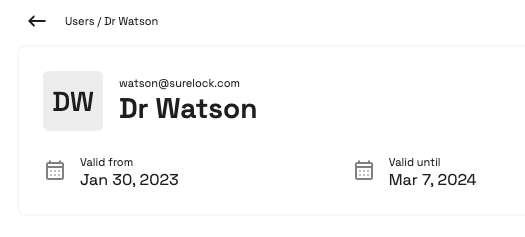 You can either set users to be valid until a specified day, or to be always valid
See the section on creating users for more detailed information.
Key renewal duration
Key renewal duration defines the maximum time a key remains valid before requiring an update. Physical keys update at a compatible online updating point or an encoder. App keys update through the Homelok app with an internet connection and do not require Card key updater.
To configure this setting:
- Go to Settings > General
- Select Edit installation
- Choose either 7 days (default) or 14 days
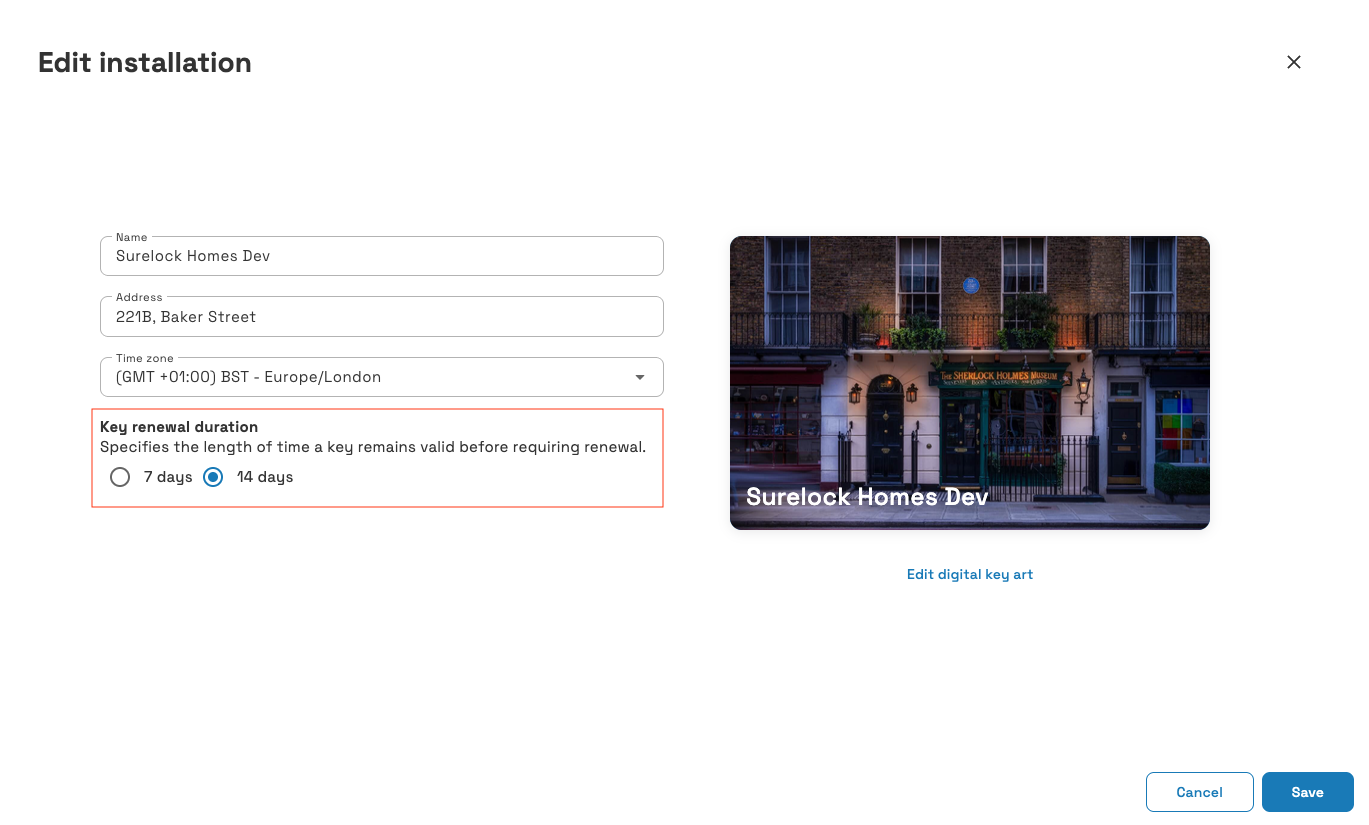 Key renewal duration allows you to define the maximum time keys are valid before requiring an update
Card key updater
The card key updater setting controls whether a door performs SVN-Flex updates for physical keys.
To configure this setting:
- Go to Settings > Devices
- Select the device
- Navigate to the door section
- Check or uncheck Card key updater
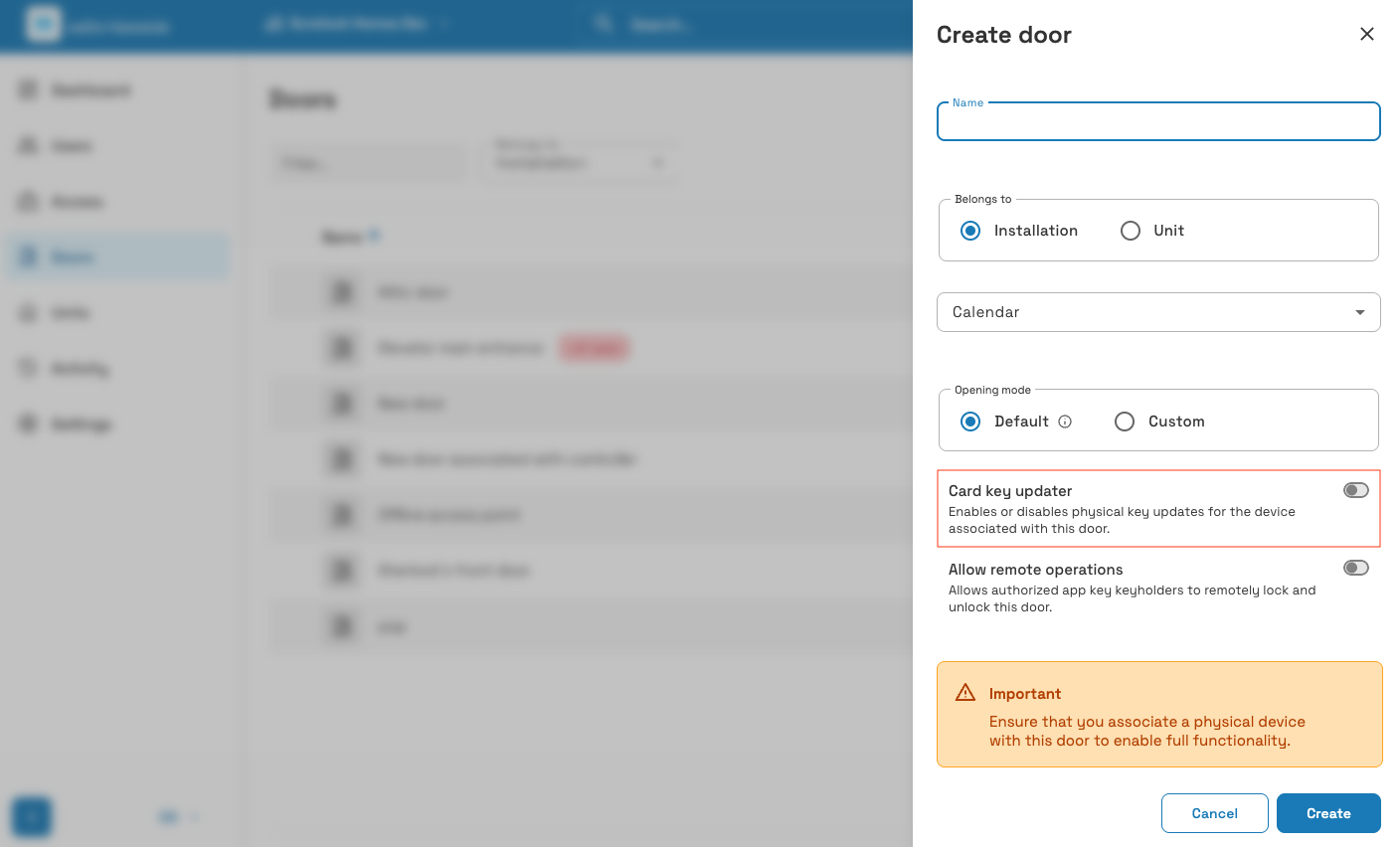 You can enable or disable the card key updater option from the individual device screen
This setting has the following characteristics:
- Disabled by default when creating a door in Homelok web
- Availability depends on the associated device, so check the setting after device configuration
- Only affects physical keys (keycards and fobs)
- Requires the door to be online and connected to function
- Marks lock with Update required when changed
Disabling card key updater on multiple doors reduces system security. Always maintain at least one updating path in your installation.
For detailed information about SVN-Flex technology, when to disable card key updater, and best practices, see SVN-Flex in core concepts.
Offline behavior and auto-extension
When doors temporarily lose connectivity, Homelok's auto-extension feature helps maintain access for physical keys:
- An online updating lock that temporarily loses connectivity can extend an expired physical key or one with less than 3 days of validity remaining
- The new expiry is 3 days from presentation, not 3 days added to the previous expiry
- Keys have a 30-day absolute limit without online updates
- Standalone locks cannot perform auto-extensions
For full details on offline behavior, example scenarios and troubleshooting guidance, see auto-extension for offline locks in core concepts.
 Back
Blocking users
Back
Blocking users