Motorized locks in Nebula Entry Beta
Overview
Motorized locks are electronic locks that contain an integrated motor. The motor locks and unlocks the access point automatically.
Nebula Entry currently supports the DLok motorized lock. Installers configure and calibrate the DLok with the Nebula Commissioning app. See the section on configuring motorized locks for installers for more information.
Creating motorized locks
Create a motorized lock in the same way as any other electronic lock. See creating electronic locks for more details.
Motorized lock settings
Motorized lock settings are split across two places:
- Opening mode and Autolock timer are properties of the access point. Edit them from the Access points section. See creating access points for more details.
- Hold back latch and Force rotation to the end are custom settings of the electronic lock itself. Edit them from the Devices section.
The custom settings only display after an installer configures the lock with the Nebula Commissioning app and Nebula Entry identifies it as a motorized lock. They don't display when you first create the lock.
Editing custom settings
To edit the custom settings of a motorized lock, do the following:
- Go to Devices.
- Select the three-dot menu of the lock you want to change and select Edit.
- Change the Hold back latch and Force rotation to the end settings as required.
- Select Save.
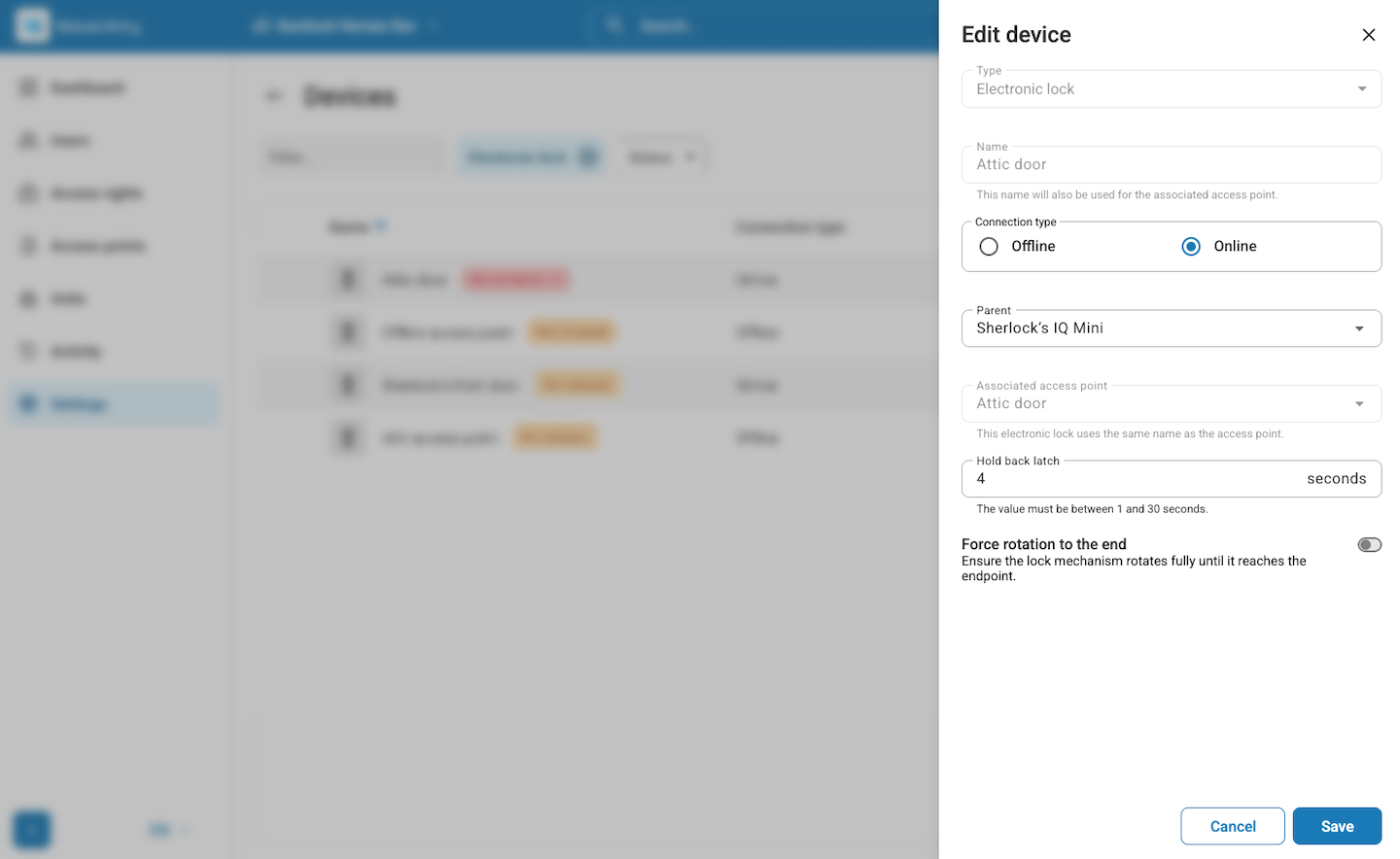 Edit device dialog showing the Hold back latch and Force rotation to the end settings
The Custom settings section of the device detail screen shows the current values of both settings. To open the device detail screen, select the lock in the Devices list.
Autolock timer
The Autolock timer defines how long the DLok waits before it locks the access point automatically. It's an access point setting that only displays when you set the access point's opening mode to Autolock (formerly standard).
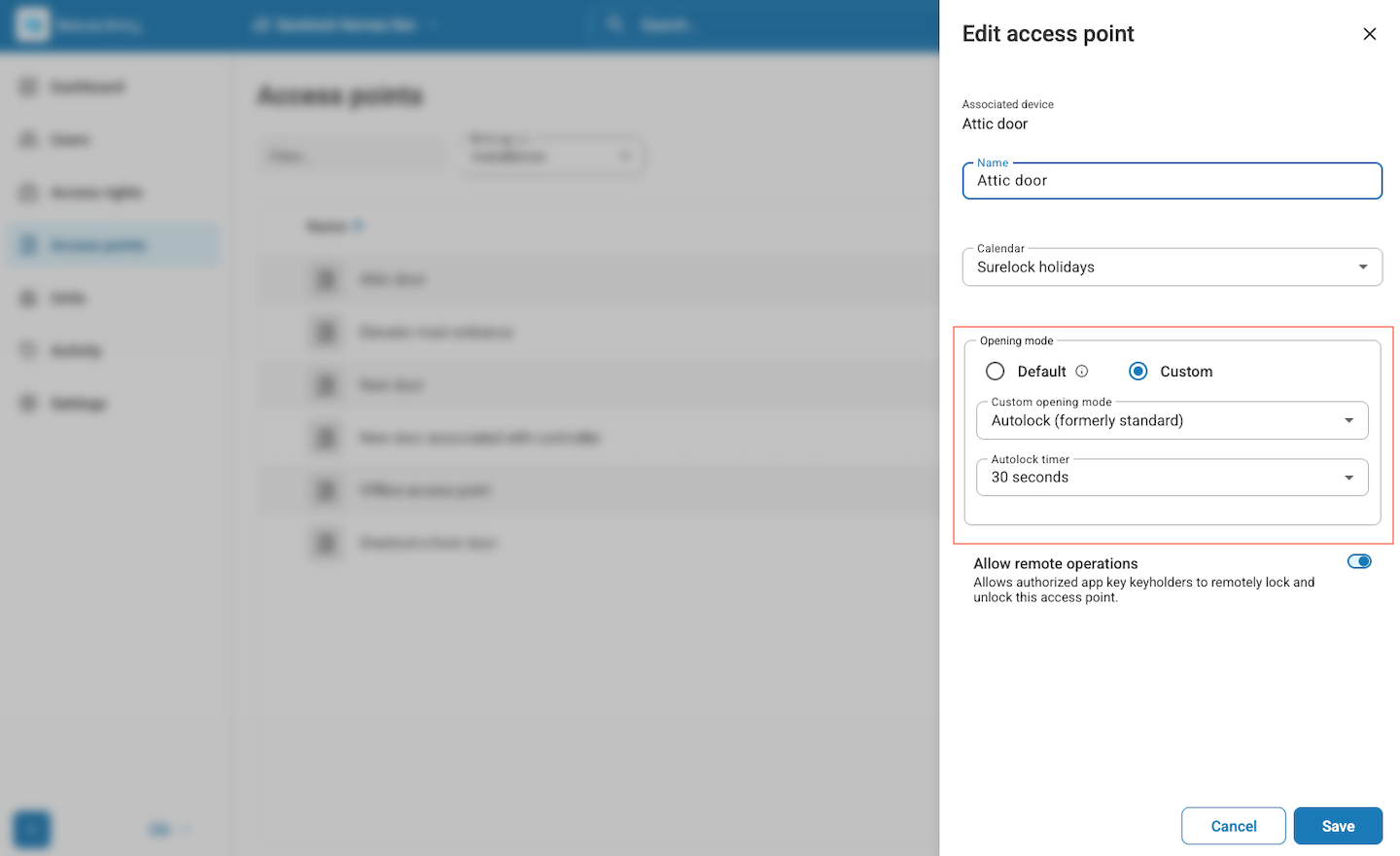 The Autolock timer setting is configured in the access point section
See creating access points for more details.
Hold back latch
Hold back latch keeps the latch of the lock mechanism withdrawn for a specified time after the lock unlocks. Enter a value between 1 and 30 seconds.
If the installer configured the lock to withdraw the latch during calibration, this setting defines how long the latch stays withdrawn.
Force rotation to the end
Force rotation to the end makes the lock mechanism rotate fully in one direction until it reaches the end point.
Use this setting for locks where turning the key doesn't directly rotate the internal mechanism. In these locks, the key engages an internal clutch or electronic system that triggers the locking or unlocking instead. These cylinders are often called "double clutch locks". You can also use this setting on other types of access points, such as panic bar solutions.
Only turn on Force rotation to the end if it's not possible to rotate the DLok on the inside of the door by turning the key from the outside. Check with your installer or your usual Salto contact if you aren't sure whether to turn on this setting.
 Back
Electronic locks
 Extenders