XS4 Face Enrollment Service
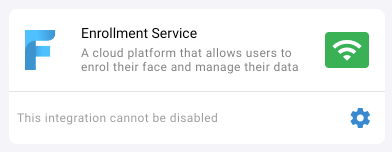
The XS4 Face Enrollment Service is where users enroll their face and give consent for each site to use their biometric data. Every site needs the Enrollment Service, configured with two fields:
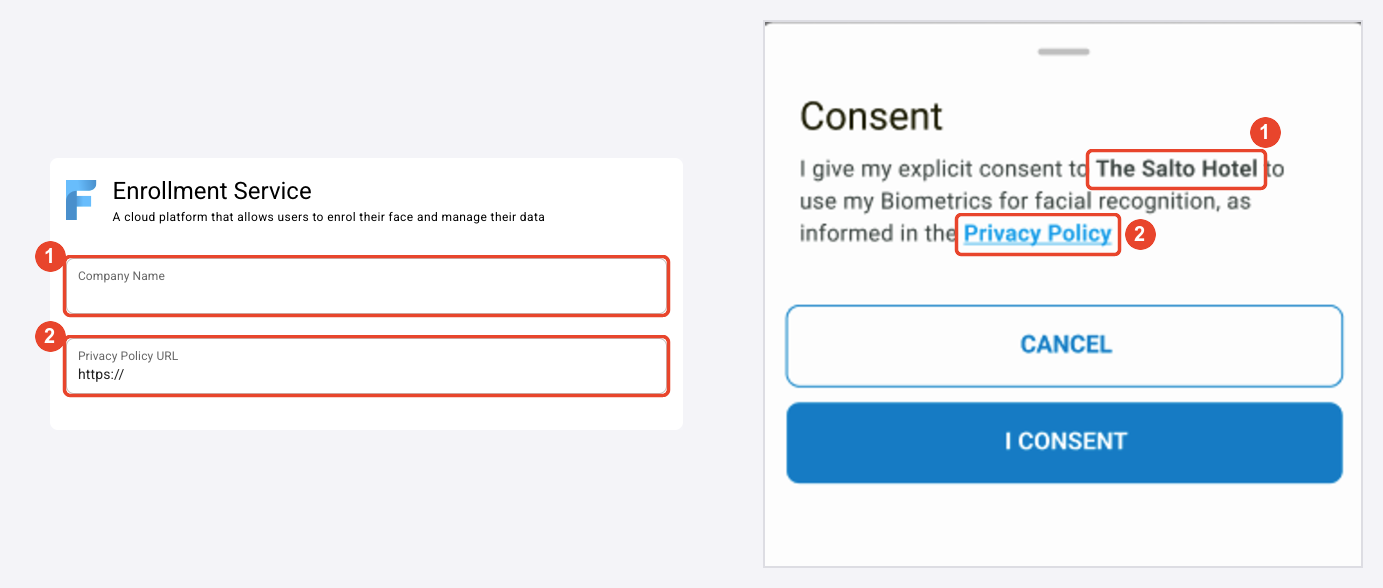
- Company Name: The legal name of the company in charge of the site, as users will recognize it.
- Privacy Policy URL: The address of the company's privacy policy for face recognition.
You enter these details when you add a site. To change them later, open the settings of the Enrollment Service tile on the Features page. Once the Enrollment Service is configured, it can't be disabled.
What users see
When a user gives consent for a site in the XS4 Face Enrollment Service, the consent message shows the Company Name (1), and the Privacy Policy link opens the Privacy Policy URL (2). Users can read the privacy policy before they select I Consent.
Privacy policy
The company in charge of the site is responsible for the biometric data of its users, and must have a privacy policy that covers it. The company name must be correct, and the privacy policy must describe explicitly how the company uses the biometric data that XS4 Face processes.
To get started, download the template customer privacy policy and adapt it for the customer. For how Salto processes personal data, see Data protection.
If you have any doubt about the contents of a privacy policy suitable for XS4 Face, contact Salto for guidance.
 Space