Users page
Under the Users tab, two sub-tabs will display the two sets of users that can be managed in an XS4 Com site: Site Admins and Residents.
On the Site Admins sub-tab, site owners and site admins will see an Invite Site Admin button on the top right corner of the screen. At the center of the page, they will see a table listing the site owner and all the site admins registered on that site. Along with their name, they will see:
- Their email address.
- Their Date added, of when they were added to the site.
- The status of their Subscription, with the option to toggle between Subscribe and Unsubscribe. If a site admin is unsubscribed from an XS4 Com site, they will have read only access and will be unable to perform any actions on the site until they are subscribed again.
- An Action three-dotted icon with the option to Delete the site admin.
On the Residents sub-tab, site owners and site admins will see an Add New Resident button on the top right corner of the screen. At the center of the page, they will see a table listing all the residents registered on that site. Along with their name, they will see:
- Their resident type: Residential or Company.
- Their email address.
- The Floor they are registered on.
- The Unit they are registered for.
- Their Date added, of when they were added to the site.
- The status of their Subscription, with the option to toggle between Subscribe and Unsubscribe. If a resident is unsubscribed from an XS4 Com site, they will have read only access and will be unable to perform any actions on the site or appear on the phonebook until they are subscribed again.
- An Action three-dotted icon with the option to Set Alias or Delete the resident. Setting an alias for the resident will result in that being shown in the phonebook instead of the resident's name, regardless of the settings that were applied.
On both the Site Admins and Residents tables, an icon will be displayed underneath the name of each site admin and resident of that site, which represents one of the following statuses:
- Pending: The user has been invited but has not completed their profile yet.
- Active: User has completed their profile and is ready to use the platform.
- Logged in to the XS4 Com App: User is logged in to the XS4 Com web or mobile applications.
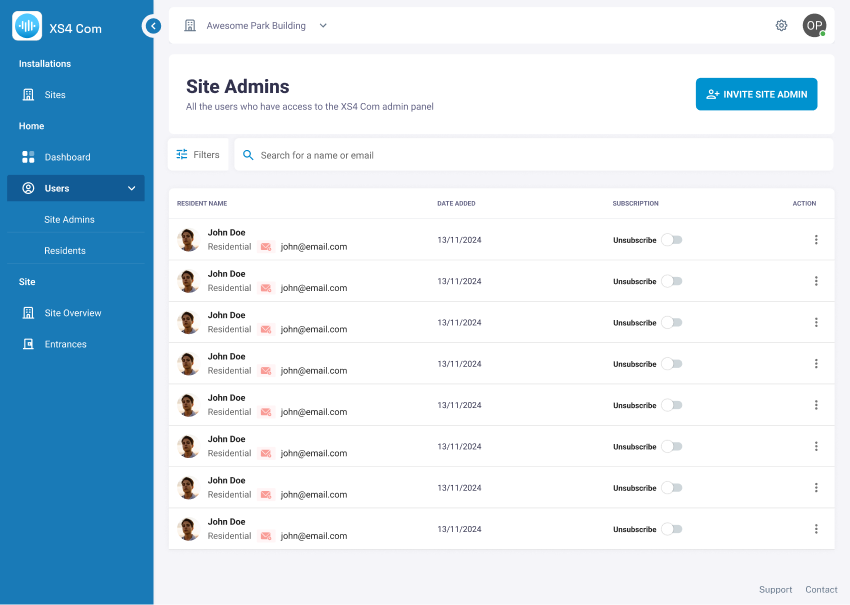 Overview of the Site Admins page
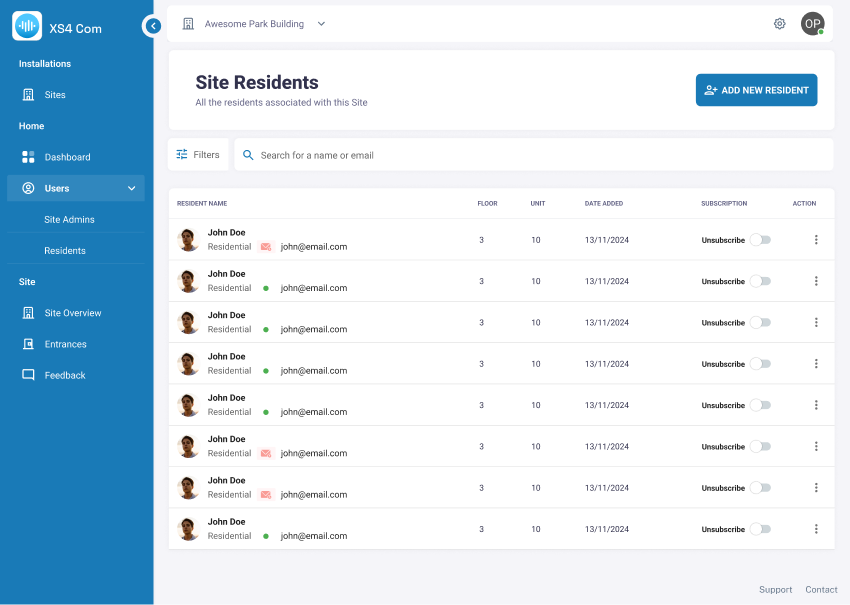 Overview of the Residents page
 Back
Adding a resident
 Site Overview page