Feedback and Service Status page
On the navigation menu, under Site, site owners and site admins will also have the option to click on two other tabs: Feedback and Service Status.
Clicking on the Feedback tab will prompt a pop-up window to open, where site owners and site admins can send their feedback to the XS4 Com development team. They can choose between two Feedback Types (Report a bug and Request a feature) and then describe their feedback in more detail in the Message box.
Clicking on the Service Status tab will prompt a banner to show at the bottom of the page, indicating the current health status of the platform. An icon next to the tab name will also indicate the same. For instance, when the icon is a green circle with a check mark, this means services are fully operational. For real-time status on the XS4 Com services, check the XS4 Com Status page.
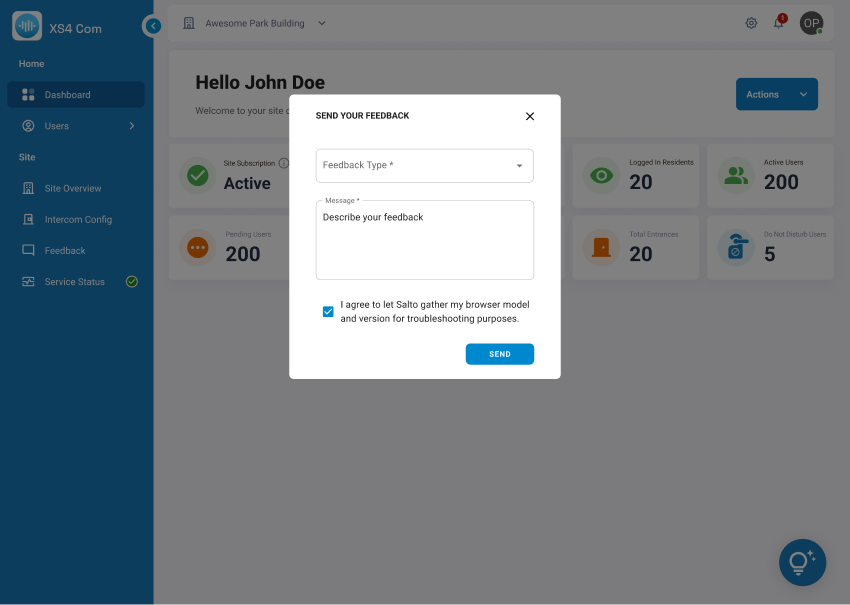 Feedback pop-up window
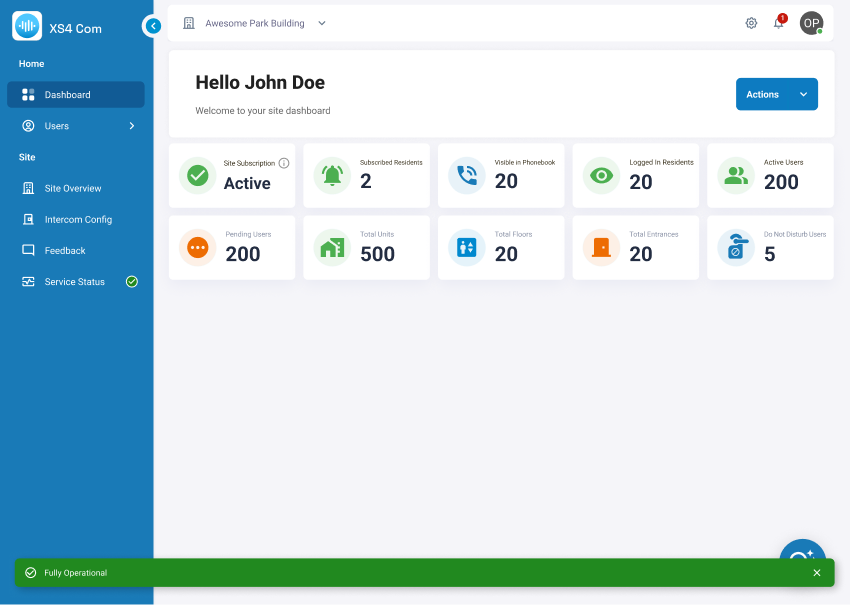 Service Status banner
 Back
Intercom Config page
 FAQs