Receiving calls on the web application
In addition to the mobile app, residents can receive visitor calls from the XS4 Com web application. Calls on the web are supported on desktop versions of Google Chrome, Microsoft Edge, and Mozilla Firefox.
When residents log in using a supported browser, a pop-up window informs them that they can receive calls on the web. To enable this, residents click Allow next to the following permissions:
- Microphone (required).
- Notifications (required).
- Camera (optional).
Residents can also click Allow all to grant all permissions at once.
When a visitor selects the resident in the phonebook, the browser displays a notification and rings. For this to work:
- The XS4 Com tab must be open, even if it is in the background.
- Notifications must be enabled for the browser in the operating system settings.
- Focus (macOS) or Do Not Disturb (Windows) must be turned off, or set to allow notifications from the browser.
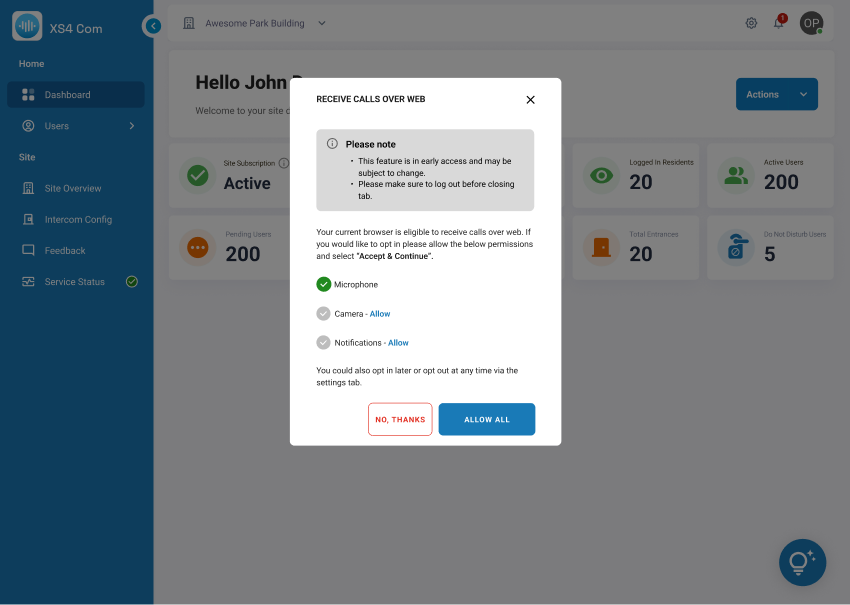 Allow permissions to enable calls over web
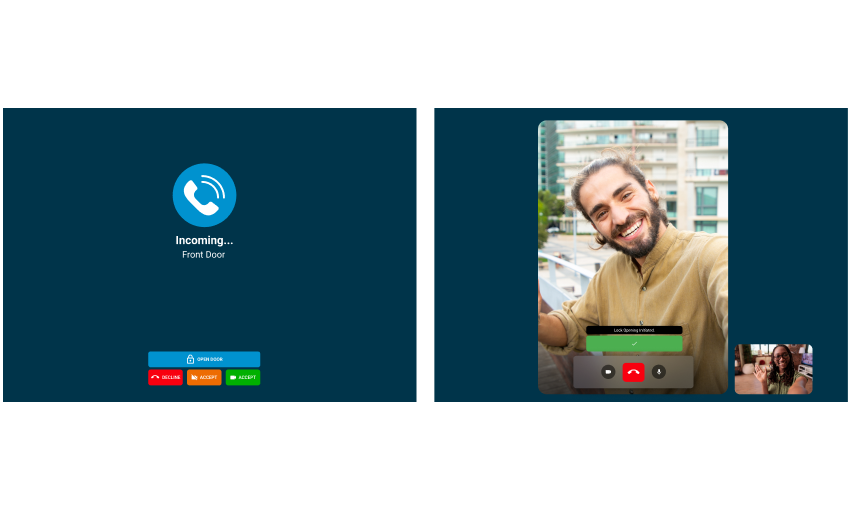 Call screens from the XS4 Com web app
 Back
