Calling a resident with XS4 Com iGO
XS4 Com iGO entrances are set up with an NFC-enabled QR code plate that allows visitors to either scan the QR code or tap the NFC icon on the plate with a compatible smartphone. Scanning or tapping will redirect visitors to a browser-based application displaying either a welcome screen (if enabled) or the phonebook with the list of all the residents in the building, without the need to download an app.
When first scanning or tapping the iGO plate, visitors will get a notification requesting permission to grant the browser application access to their microphone and camera. If the site owner or site admin has enabled geofencing for an XS4 Com iGO entrance, visitors will also be asked to grant permission to use their device's location. This is needed to determine whether the visitor is within the radius range from the iGO entrance. If the visitor does not give permission to access their microphone and camera, or, when geofencing is enabled, their location, they will get an error message when trying to initiate the call. Visitors outside the configured entrance radius will also be unable to initiate the call.
If enabled, visitors will first see the welcome screen on their phone, displaying the building details and a language selector icon in the top-right corner that allows them to change the welcome screen's display language. If the site owner or site admin has also enabled the predefined call options (Reception, Deliveries, and Security), visitors will have the option to select one, so that the call is routed to all assigned residents instead of one. Also on the welcome screen, visitors will see the option to access the phonebook. If the welcome screen is not enabled, visitors will be redirected directly to the phonebook when scanning or tapping the plate.
Once on the phonebook page, visitors will see the same building details and language selector icon. On the search bar at the top, they can search for a specific unit or resident they want to call or scroll through the list. From there, the visitor flow goes as follows:
- Visitors can start a call to a resident by clicking the phone icon next to the resident's name, which will automatically include a live stream of the visitor from their phone's camera.
- The resident can accept and join the call with or without their video enabled, or decline the call. If the resident is busy on another call or is unreachable, a notification will be displayed on the visitor's phone.
- During the call, visitors can turn live captions on by pressing the Captions icon in the bottom left, which will display real-time captions of the resident's speech. Live captions will only be visible to the person who has turned them on.
- If the resident decides to grant access, the door will be remotely unlocked for the visitor.
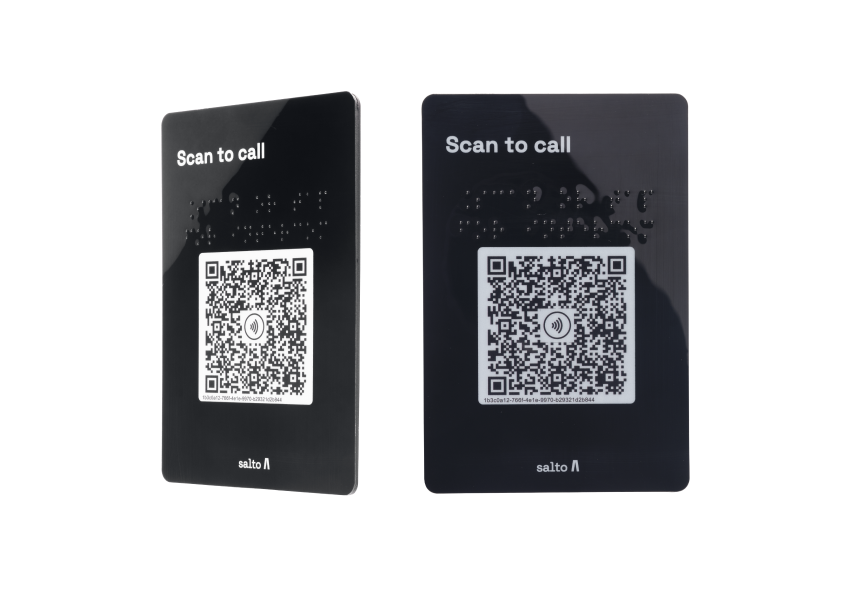 XS4 Com iGO entrances are set up with an NFC-enabled QR code plate
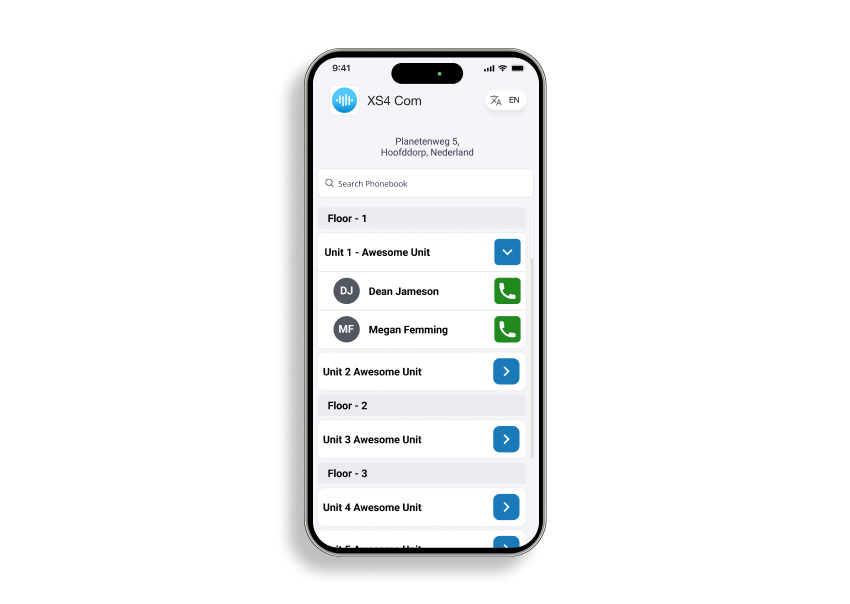 XS4 Com iGO phonebook showing a searchable list of residents
