Accessibility Settings
When using the intercom panel on an XS4 Com iPanel entrance, visitors will have the option to configure the Accessibility Settings by clicking the Accessibility icon in the bottom right corner of both the welcome screen and phonebook. These settings include:
- Choosing between a list of Accessibility Profiles, with quick presets for specific needs that automatically adjust the settings accordingly.
- Configuring the Contrast levels of the panel screen.
- Adjusting the Text Size.
- Adjusting the Screen Brightness.
In addition, once the call is initiated, visitors can adjust the intercom panel speaker volume by clicking the volume icon on the call screen and increasing or decreasing the volume.
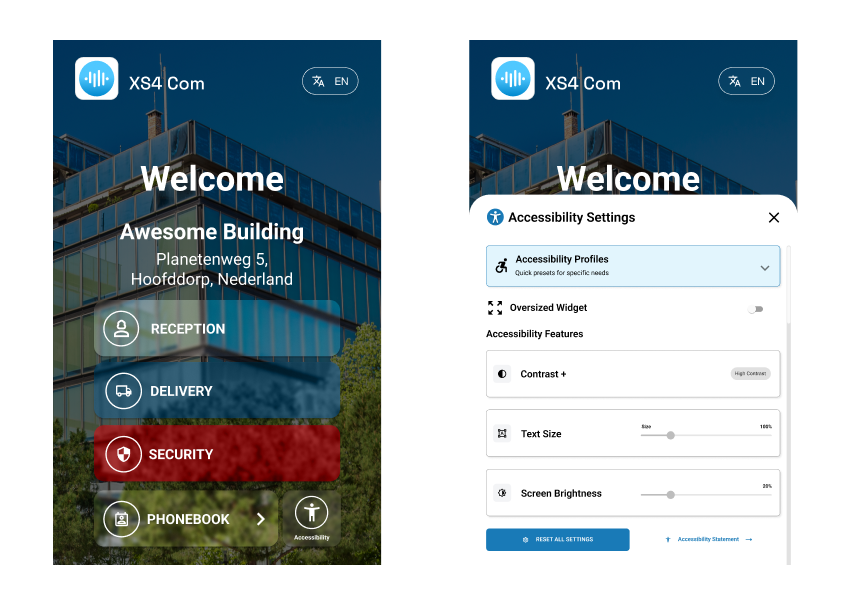 Accessibility Settings menu on XS4 Com iPanel devices
 Back
