Inviting an installer to XS4 Com
Inviting an installer to XS4 Com and prerequisites
While most of the steps included in this section cover the steps for installers, the first step of inviting an installer to XS4 Com must be carried out by the Salto business units. For this, some prerequisites must be kept in mind, both related to the installer and the Salto access control solution that will be connected with XS4 Com: (Salto KS or Salto Homelok).
Installers are invited by the Salto business units through the Larry Support web application.
Installer company prerequisites
When inviting an installer to commission an XS4 Com site, the Salto business unit needs to check some prerequisites related not only to the installer but also to the company they are a part of. This is because an installer can only be granted XS4 Com installer access if they belong to an existing installer company in Larry Support.
The Salto business unit can check the list of the existing installer companies in Larry Support by going to the Installer Companies tab on the navigation menu. This will show the list of all registered installer companies. If they wish to create a new installer company, they need to follow these steps:
- Navigate to the Installer Companies tab on the navigation menu.
- Click on Create installer company.
- Fill in the installer company details and associate it with the appropriate tenant.
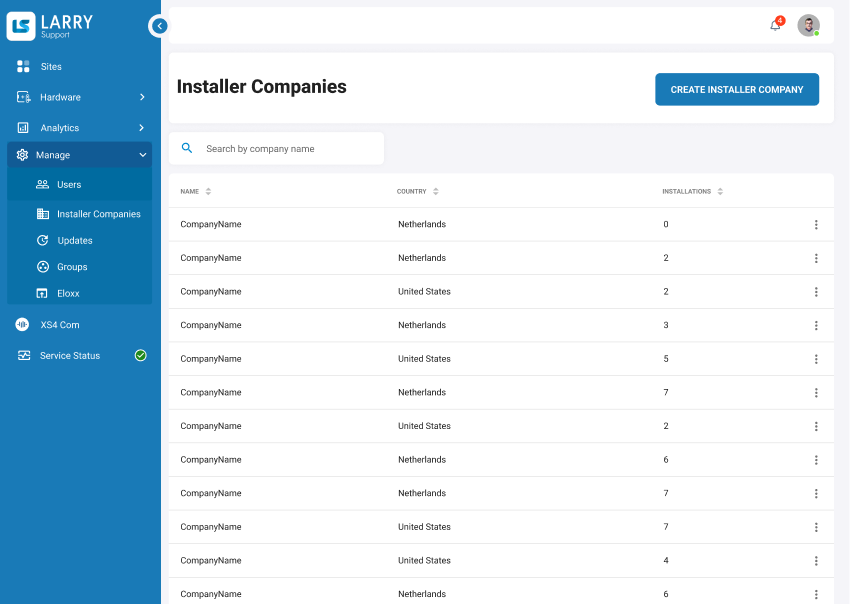 An overview of the installer companies page
Each installer company is associated with a specific tenant, which determines the scope of sites they are authorized to commission. In other words, each company can only commission sites that fall within the scope defined by that tenant.
Inviting an installer to XS4 Com in Larry Support
To invite an installer to XS4 Com in Larry Support, the Salto business unit must do as follows:
- Navigate to the Installer Companies tab on the side navigation menu.
- From the table of registered installer companies (showing their name, email, tenant, and country), find the company the installer belongs to.
- Click on the relevant installer company to be redirected to the company's page, which will show a list of all their registered installers.
- Find the installer that will be invited to XS4 Com and click on the three-dot menu on the right of the installer's row.
- Select XS4 Com Installer Access from the tooltip options.
- On the modal window, select the Tenant for which the installer will be invited as an XS4 Com installer. This will determine which XS4 Com sites the installer can commission.
- Click Send Invite, which will send an email to the installer to begin the commissioning process.
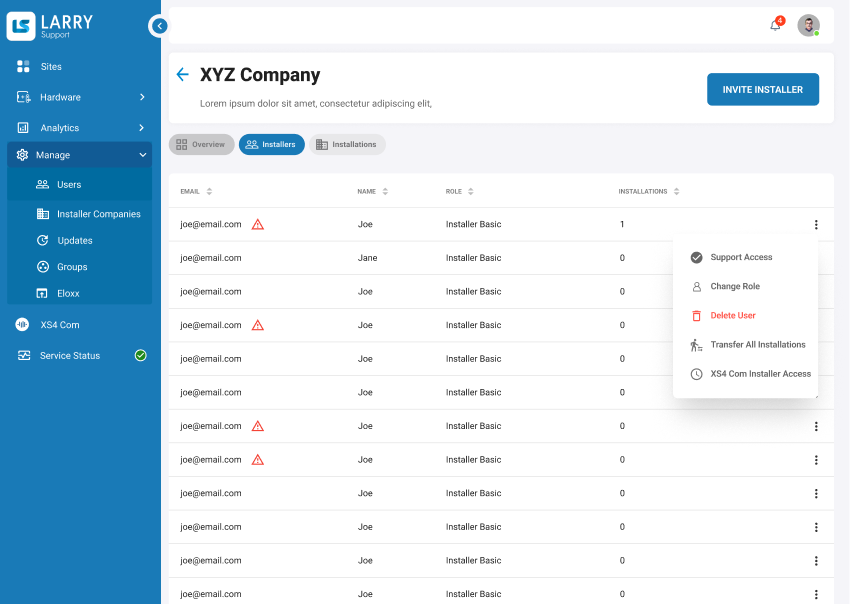 An overview of the installers page
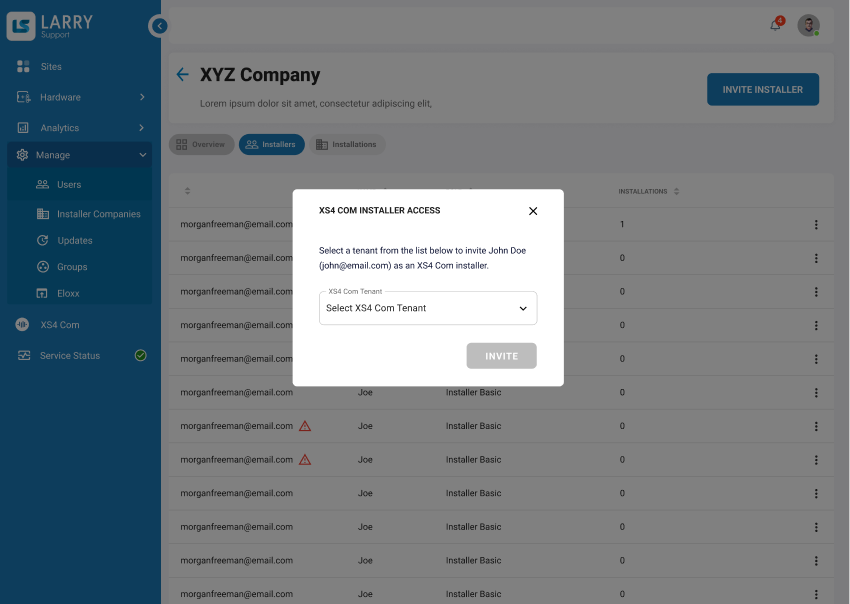 Selecting an XS4 Com tenant
Once the invite has been sent, the work by the Salto business unit is done and the installer can start commissioning XS4 Com sites, which can be connected with Salto KS or Salto Homelok.
