Configure Entra ID photo sync
This feature is available from Salto IDM v3.2 onwards.
1: Overview
Salto IDM can optionally synchronize user profile photos from Microsoft Entra ID (formerly Azure AD). When enabled, user photos are imported and stored as part of the identity record in Salto IDM so that:
- User identities in IDM include an up-to-date photo
- Manual photo uploads are reduced
- Administrators have a consistent view of user identities across systems
Photo synchronization is opt-in and controlled via a dedicated setting in the Entra ID Automation configuration.
Photo synchronization affects only Salto IDM. No user photo data is pushed to Salto Space as part of this feature.
2: Prerequisites
Before enabling photo synchronization:
Existing Entra ID automation You must have a working Entra ID automation configured in Salto IDM that already synchronizes core identity attributes (name, email, identifiers, etc.).
Microsoft Entra ID permissions The Entra ID application used by Salto IDM must have permissions to read user profile photos via the Microsoft Graph API.
These permissions require explicit admin consent.
User Photos feature flag in IDM The general User Photos feature in IDM must be enabled for your environment.
If you are unsure whether the correct permissions have been granted, contact your Entra ID administrator.
3: Configuration in Salto IDM
3.1 Location of the setting
The setting is located in:
Settings > Automations > Microsoft Entra ID (Entra ID Automation)
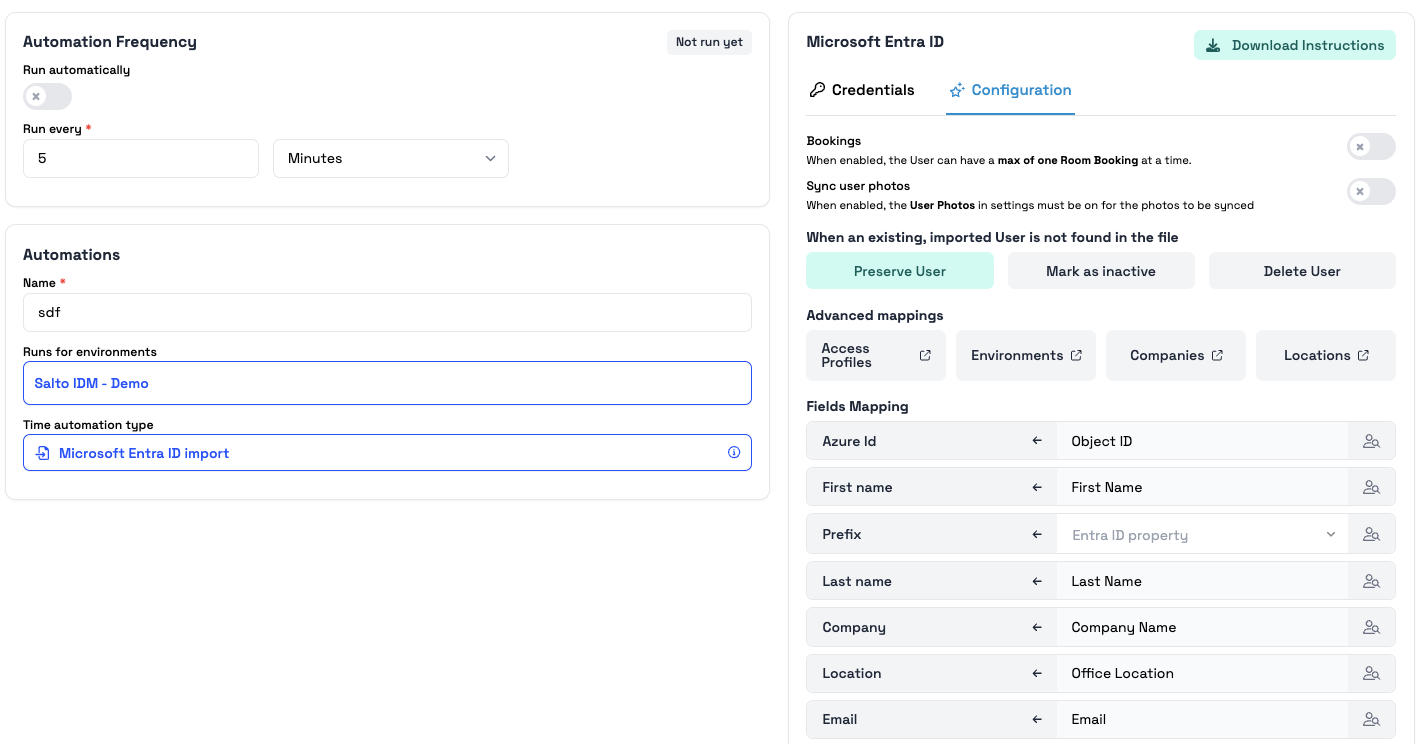
Within the configuration:
- User Photos (renamed from User Picture)
- Sync user photos (new toggle)
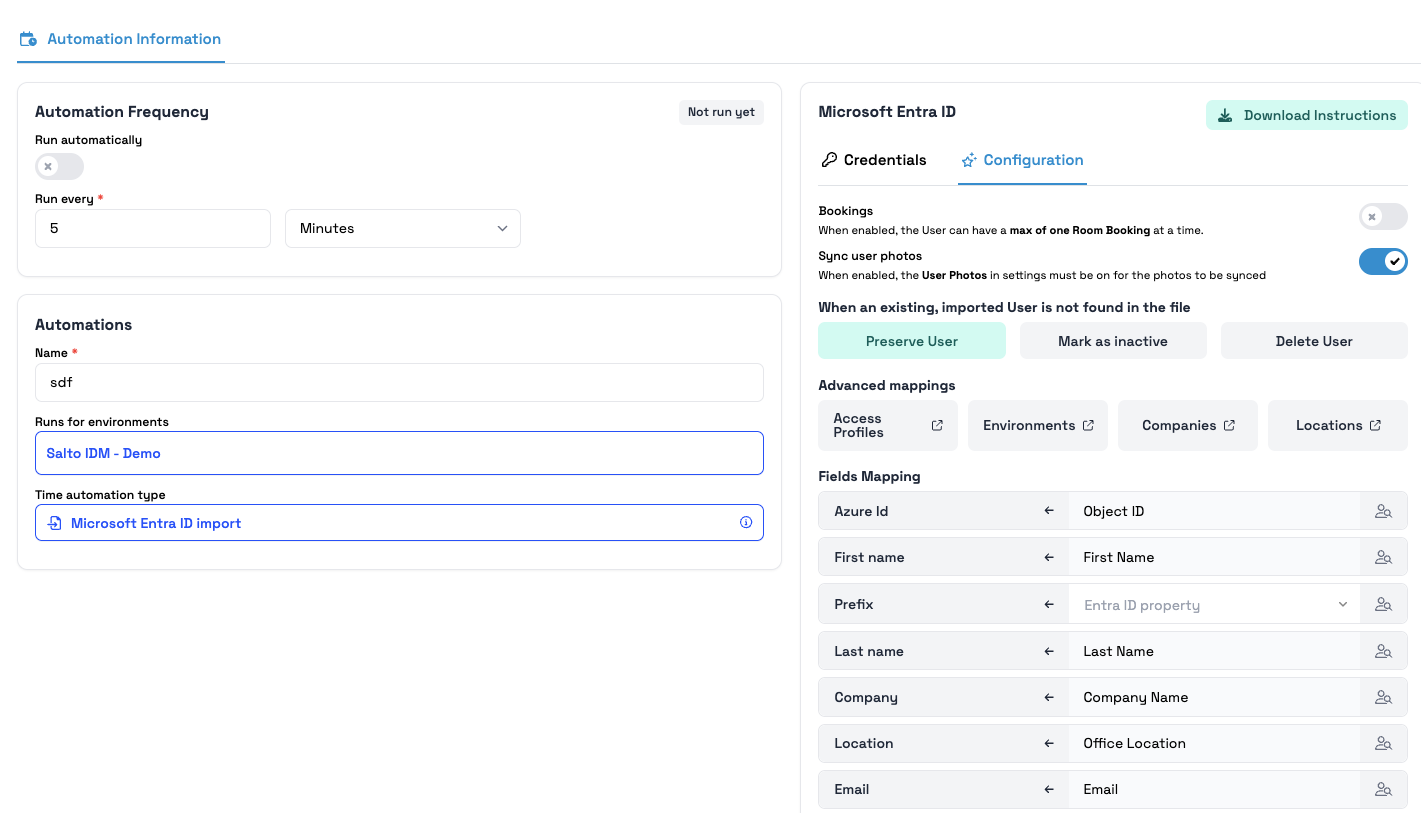
3.2 'Sync user photos' toggle
A new toggle is available:
- Label: Sync user photos
- Caption: When enabled, the User Photos setting must be on for the photos to be synced.
Default behavior
- Existing automations: disabled
- New automations: disabled
No photos sync unless explicitly enabled.
4: How photo synchronization works
4.1 When the feature is enabled
To enable:
- Go to the Entra ID automation configuration.
- Ensure User Photos = ON.
- Enable Sync user photos.
- Save and run/schedule the sync.
When both toggles are ON:
- IDM retrieves the user's profile photo from Entra ID via Microsoft Graph.
- The photo is stored in the identity record.
- On subsequent syncs:
- If changed > updated
- If unchanged > ignored
If User Photos = OFF, no photos sync even if the toggle is on.
4.2 When the feature is disabled
- No photo retrieval
- No updates
- Existing photos remain unchanged
5: Error Handling and Logging
Photo sync is non-blocking:
- Errors affect only photo retrieval
- Core attribute sync continues
Logged information includes:
- Photo sync actions
- Detected changes
- Errors or permission issues
6: Security and privacy
- Access to photos follows Entra ID permissions and admin consent.
- No photos are pushed to Salto Space.
- Administrators should review privacy requirements before enabling.
7: Typical use cases
- Admin portals and dashboards
- Kiosk or terminal identity experiences
- Support teams identifying users
8: Troubleshooting
8.1 No photos appear
Check:
- User Photos = ON
- Sync user photos = ON
- Graph permissions + admin consent
- User actually has a photo
- Automation logs
8.2 Only some users have photos
- User has no photo
- Permission restrictions
- User-specific log entries
8.3 Photo not updating
- Sync has run after the change
- Logs show detection or errors
 Back
Back
